Use Case
For traders who watch the highs and lows of specific sessions, like Asian-range breakouts or the London and New York opens, it auto-boxes each session's range for you.
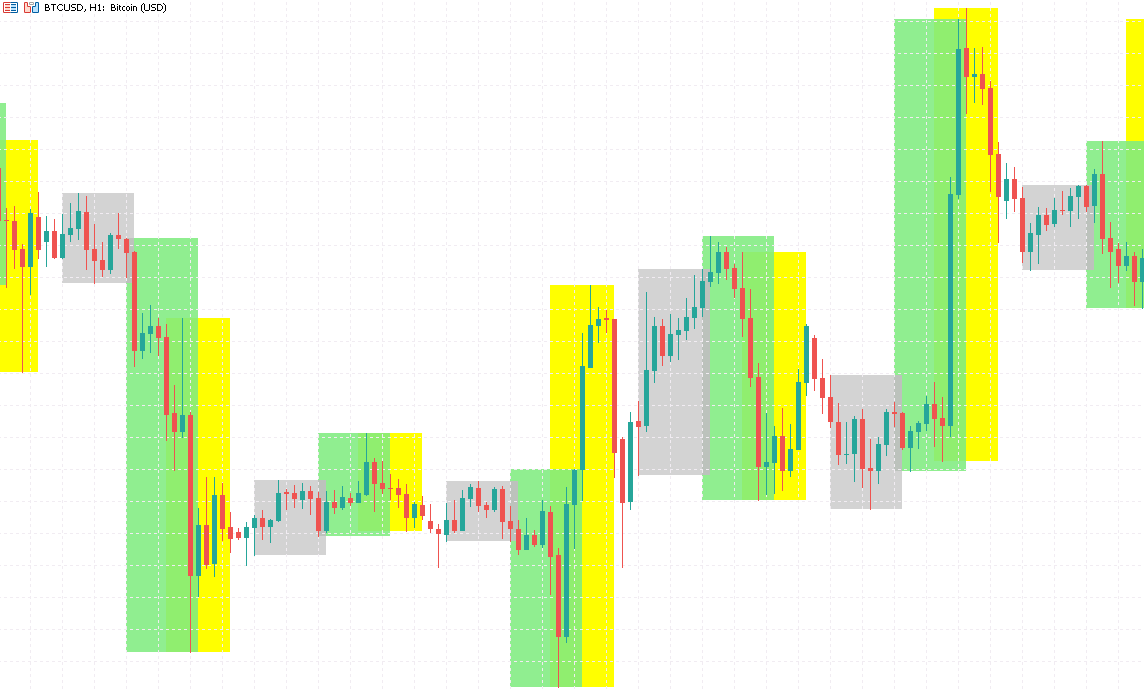
The Time Range Box indicator automatically outlines the trading sessions you define and draws a rectangle around the highest and lowest price reached during each one, so you can see a session's range at a glance.
A lot of traders care about the highs and lows of specific windows, like the tight Asian range, the consolidation before the London open, or the New York expansion. Marking these by hand is slow and error-prone, so the indicator does it for you and keeps the box edges updated as new candles print.
What it shows you
- The actual high-low range of each custom session, clearly boxed
- Sessions that cross midnight are recognized and drawn correctly
- Several sessions can show at once, each in its own color
How to use it
- Enter each session's start time, end time, and color, and the box appears on the matching candles
- Time zone can be auto-detected or set manually, so you don't have to align with server time
- Border style, line width, and fill are all adjustable, and the boxes sit behind price without covering it
Choose how to buy
✦Membership accessBest value
Plus members can use all in-house products during the subscription period.
from $19/mo
✓One-time license
For this tool only. Buy once and keep permanent access.
$30
7-day money-back · Instant download
Platform
MT5
Last Update
Oct 2026
Features
- Auto-boxes the high-low range of custom sessions and updates edges as new candles print
- Handles sessions that cross midnight, with auto or manual time zone
- Shows multiple sessions at once in different colors, sitting behind price without covering it
Need Custom Features?
Extend this EA with custom functionality or strategy adjustments